How to Access Multiple Merchant Accounts
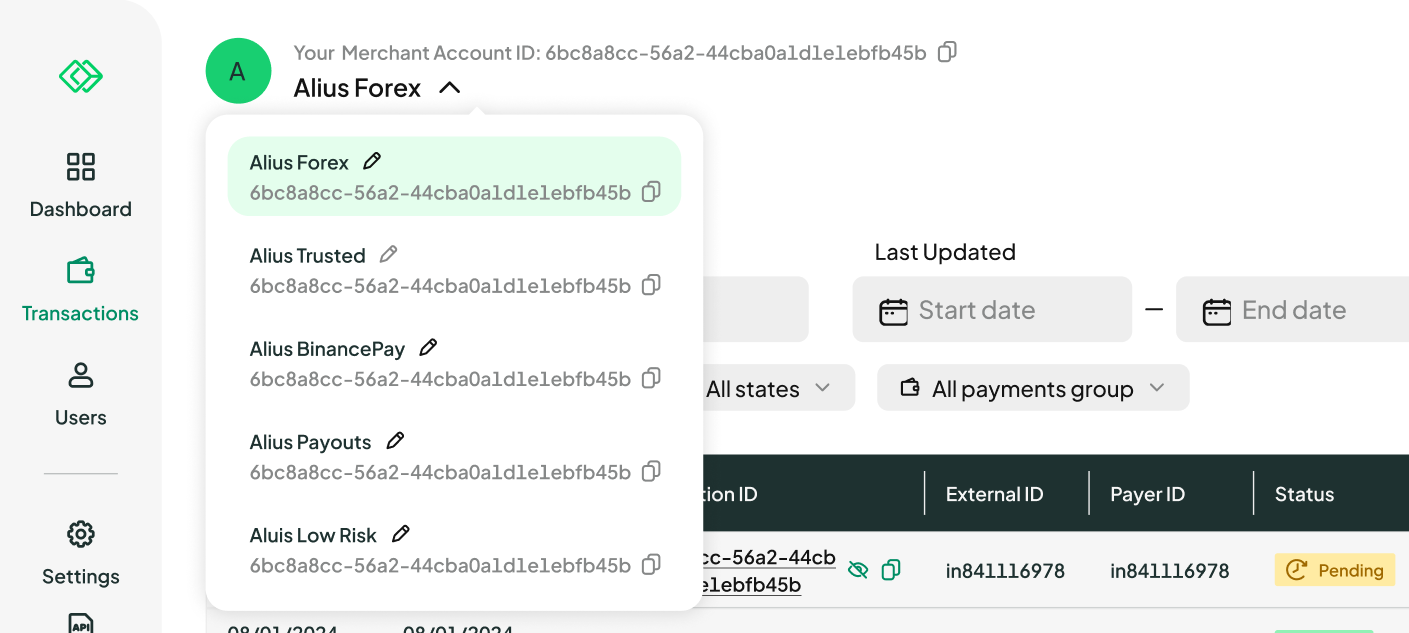
You can seamlessly access multiple merchant accounts within the Merchant Portal. Each account has its own Merchant Account Name, making it easier to tell your accounts apart at a glance. To switch between accounts, click the account name drop-down menu at the top of the interface, then select the desired merchant account from the list to manage its settings and activities.
How to Rename a Merchant Account
Merchant Account Names help you and your team quickly identify each account. Only the Account Administrator can rename an account.
To rename an account:
- Open the account switcher drop-down menu
- Click the pencil icon next to the account name you'd like to change
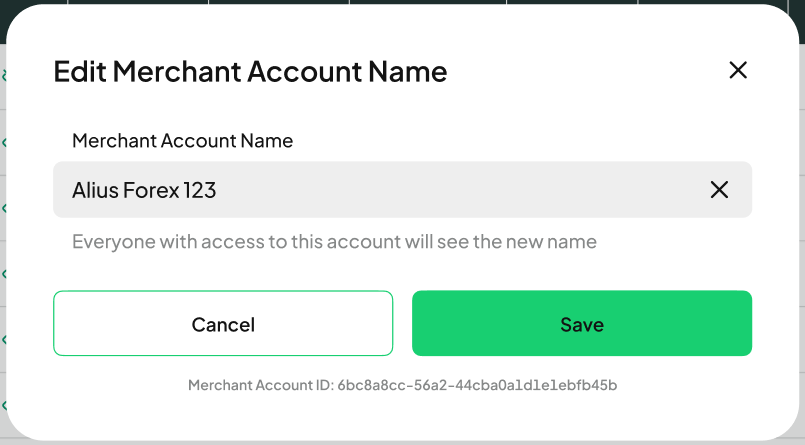
- In the Edit Merchant Account Name window, enter the new name
- Click Save to confirm
Once saved, you'll see a confirmation message: "The Merchant Account Name has been updated successfully." The new name is visible to everyone with access to the account.
If you don't have Administrator access, attempting to save a name change will show the message: "You don't have permission to edit this Merchant Account Name." Reach out to your Account Administrator to request the change.
How to Copy a Merchant Account ID
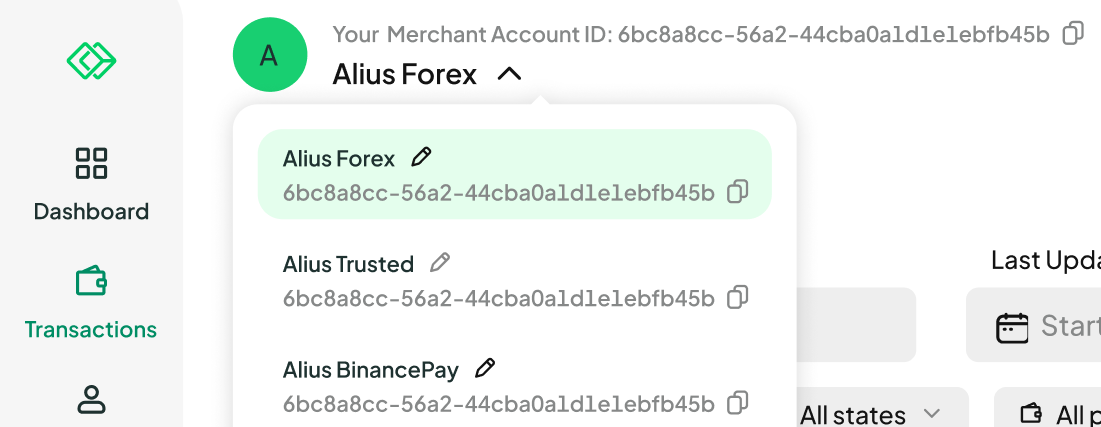
Every merchant account has a unique Merchant Account ID, shown both in the account switcher drop-down and at the top of the interface. Click the copy icon next to any ID to copy it to your clipboard — ready to paste wherever you need it.
I Haven’t Received a Recovery Code. What Should I Do?
If you haven’t received the recovery code, follow these steps to resolve the issue:
- Check your inbox for an email containing the verification code sent from noreply@aps.money. Please allow up to 5 minutes for the email to arrive.
- If the email is not in your inbox, check your spam or junk folder.
- If you still don’t see the email, contact your IT department to ensure that emails from @aps.money are not being blocked or filtered.
If the issue persists, you may need to request a new recovery code.
Was this article helpful?
That’s Great!
Thank you for your feedback
Sorry! We couldn't be helpful
Thank you for your feedback
Feedback sent
We appreciate your effort and will try to fix the article